Topics
Blended Sense is continuously improving. If you encounter a technical issue or have an idea to improve the platform, you can submit a bug report or share feedback directly through the available support channels. This article explains how to report issues clearly and effectively.
A bug is something that is not working as expected.
Examples include:
If something appears technically broken, it should be reported as a bug.
Before reporting a bug, try these quick steps:
Sometimes issues are resolved with simple troubleshooting.
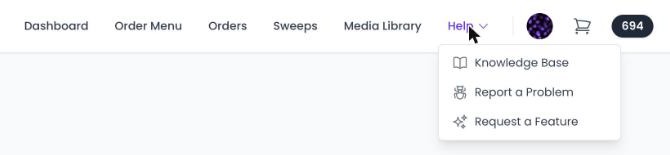
Use the Support or Help option within the platform and select the option to report a bug.
When submitting a bug, include:
Clear details help the team reproduce and resolve the issue faster.
Feedback is used to improve the platform experience.
Examples include:
Constructive feedback helps shape future product updates.
Use the Support or Help section of the platform and select the option to submit feedback or request a feature.
When sharing feedback, include:
Specific use cases are especially helpful.
After submission:
Not all suggestions can be implemented immediately, but all submissions are reviewed.
If the issue is affecting an active production or preventing access to your account, contact Support directly and clearly indicate that it is time-sensitive.


